Handly: the client handoff portal for agencies
Give every client one place to follow milestones, upload files, review staging builds and request scope changes, with no passwords to manage.
Already a NexiOrbit client? Sign in at app.nexiorbit.com. Need a custom portal built for you instead? See our SaaS development service.
Client handoffs shouldn't live in scattered threads
During a project, clients send files, feedback and change requests through whatever channel is closest. Keeping track of what was asked, what was approved and what changed takes effort that doesn't belong to the project itself.
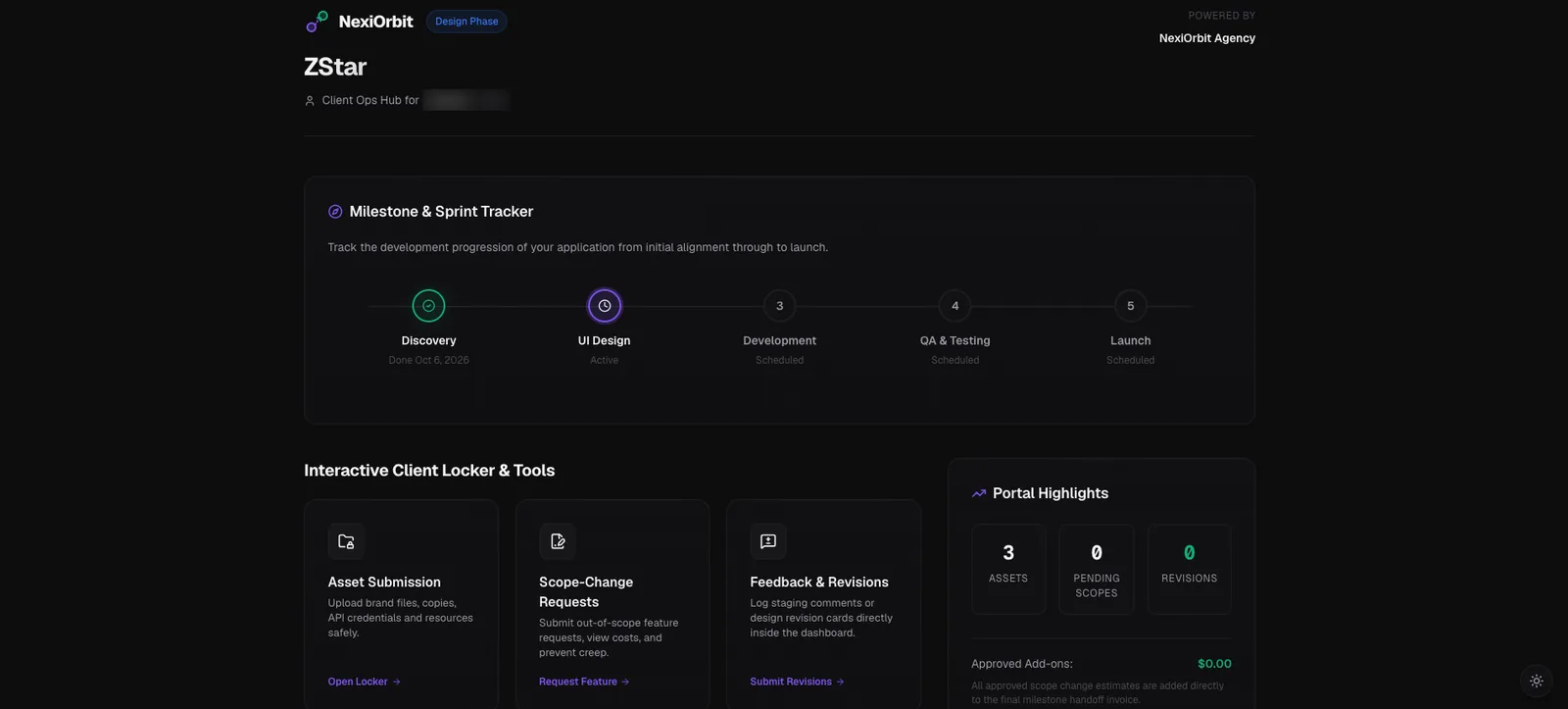
Handly puts that exchange in one portal. Clients sign in with a magic link and see their project milestones, upload files, comment on staging builds and send scope-change requests. Your team manages every project from one admin dashboard. We use Handly with our own clients at NexiOrbit, and it is built for other agencies to run with theirs.
What Handly includes
Everything clients and your team need, in one portal.
Magic-link sign-in
Clients sign in with a link sent to their email. There are no passwords to create, forget or reset.
Project milestones
Clients see where each project stands by following its milestones, without asking for a status update.
Asset Locker
Clients upload the files you need into a single place, instead of sending them across email and chat threads.
Staging build feedback
Clients leave feedback directly on staging builds, so comments stay attached to the work they refer to.
Scope-change requests
Clients send scope-change requests through the portal, which keeps changes visible instead of buried in a conversation.
One admin dashboard
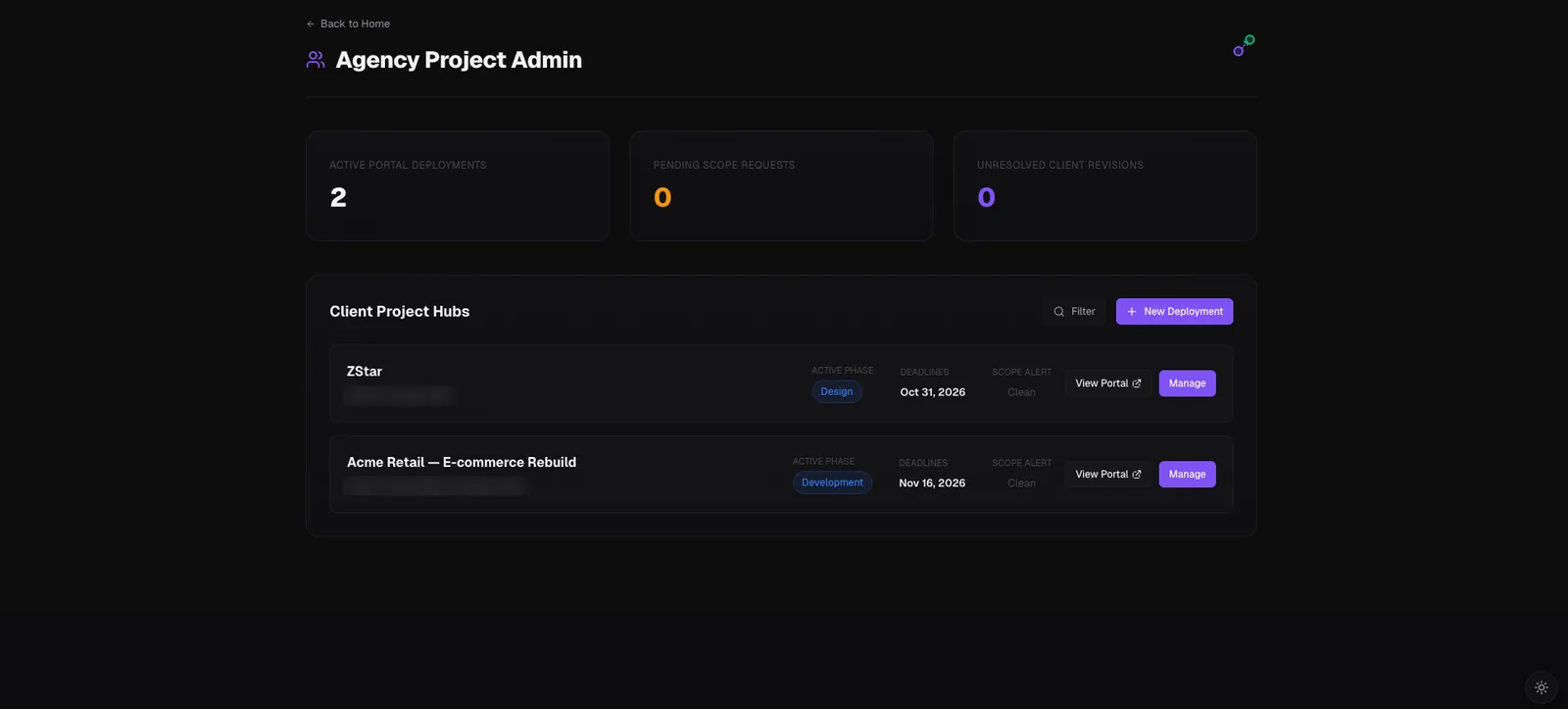
Admins manage all projects from a single dashboard.
How Handly works
From project setup to deployment on your own domain.
- 1
Your team manages projects in the admin dashboard
All projects live in one place, so your team sees every handoff from a single screen.
- 2
Clients sign in with a magic link
No password. The client opens the link from their email and lands in their project.
- 3
Clients follow, upload, review and request
They track milestones, upload files to the Asset Locker, leave feedback on staging builds and send scope-change requests.
- 4
We deploy it on your domain
If your agency site is client.com, Handly runs at app.client.com. That is how we run it for NexiOrbit at app.nexiorbit.com.
See Handly
The client portal your clients see, and the admin dashboard your team works from.
Handly FAQ
Answers about signing in, domains and availability.
How do clients sign in to Handly?
Clients sign in with a magic link sent to their email address. There is no password to create or remember.
What can clients do inside Handly?
Clients can follow project milestones, upload files to the Asset Locker, leave feedback on staging builds and send scope-change requests.
Can my agency run Handly on its own domain?
Yes. We deploy Handly on your domain. If your website is client.com, Handly is deployed at app.client.com, the same way we run it at app.nexiorbit.com.
Can other agencies buy Handly?
Yes. Handly is built for agencies to use with their own clients, and other agencies can buy it. Request a demo and we will take it from there.
Do you use Handly yourselves?
Yes. NexiOrbit uses Handly with its own clients, and it is the same product we offer to other agencies.
See Handly with your agency's projects in mind
Request a demo and we will show you the client portal and the admin dashboard.
Request a demoExisting client? Sign in to Handly